Designing a virtual reality (VR) training scenario can feel like trying to bottle fog. You can see the shape of it in your head—immersive, memorable, high-impact—but the moment you try to capture it, it slips through your fingers. The good news is: fog can be bottled. You just need the right container, a reliable process, and a clear idea of what you’re actually trying to hold onto.
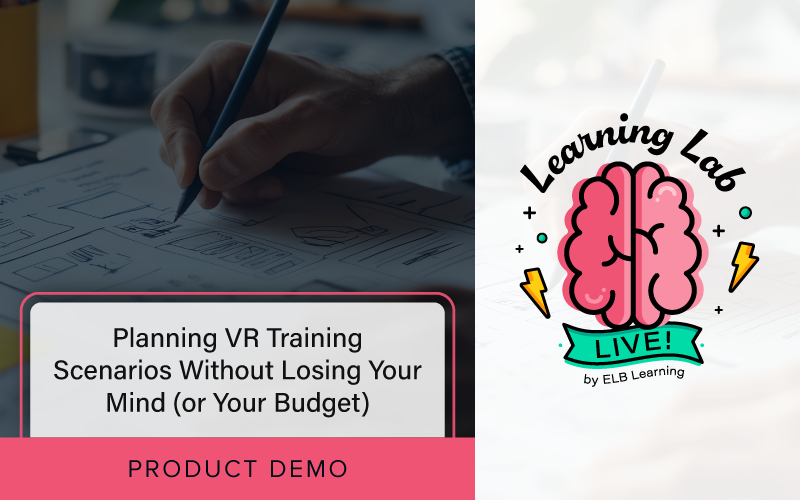
In the most recent Learning Lab LIVE session, Joshua Bleggi, learning solutions engineer at ELB Learning®, demonstrated a practical approach to planning scenario-based VR so the experience stays crisp (not cloudy). The focus wasn’t “VR for VR’s sake,” it was designed to help you decide when VR is truly the right tool, and how to plan scenarios properly so you can build them efficiently—without rework, budget surprises, or that sinking we-should-have-thought-of-this-earlier feeling.
Why VR feels powerful (and why it often stalls out).
When VR works, it works because it creates a real sense of presence. Learners don’t just read what to do; they feel like they’re there and have to react. It’s a safe space to make mistakes, practice responses, and build confidence before the real-world stakes take effect. VR also opens doors to experiences that can’t easily be recreated, like dangerous events, using expensive equipment, high-risk environments, or rare situations you hope never happen—but must be ready for.
So, why isn’t everyone using VR constantly?
A few familiar barriers tend to creep in:
- Teams struggle to identify a clear use case beyond “it would be cool.”
- There’s uncertainty about how to integrate it into a broader learning program.
- VR is assumed to be expensive and time-consuming, so organizations hesitate.
- Planning feels intimidating and unapproachable.
That last one matters more than people think. If the fog in your head never gets shaped into something concrete, VR remains a distant, “one day” option.
Step one: validate the use case. When determining whether or not VR is the right solution, ask yourself: Does this belong in VR? That’s the primary question to ponder before you script a single scene or grab a camera. VR isn’t automatically better—it’s better when the training benefits from an immersive, contextual environment. Here are a few decision points to consider when determining whether VR is the right container for your fog:
- Do the learners need spatial awareness? If success depends on navigating a space, understanding a layout, or noticing hazards, VR has a real advantage.
- Does realism matter? If the environment and sensory cues change decision-making, VR can deliver what flat content can’t.
- Is the equipment or the setting prohibitively expensive? If mistakes in real life cost thousands—or require shutdowns—simulation becomes a smart alternative.
- Is safety a concern? VR shines when the real-world version carries risk to people, equipment, or products.
- Is travel a cost or logistical issue? VR can bring out-of-the-way locations to learners (or leaders) without requiring everyone to board a plane.
This is how you avoid turning to VR just because leadership “wants something immersive.” You’re not chasing fog—you’re choosing the right jar.
Step two: Determine the end goal. Once VR is justified, lock in the objective. VR is especially effective when it’s focused, and it lends itself well to microlearning: one scenario, one clear outcome. When you start with a sharp objective, your scenario becomes easier to design, faster to build, and clearer for learners to complete.
If you skip this step, you’re back to chasing fog with your bare hands.
Step three: The mindset shift. You’re not just building training—you’re creating an experience. Traditional eLearning planning can be linear: screens, interactions, assessments. VR, however, adds a new layer. You’re still an instructional designer, and you’re still a developer, but now you’re also thinking like a filmmaker or storyteller—planning emotional beats, pacing, point of view, and the experience of being inside the world.
That doesn’t mean you need Hollywood skills. It just means you need to think about how to shape the fog into something learners can step into.
A simple planning process that keeps your scenario from unraveling.
Here’s a practical workflow you can repeat scenario after scenario:
#1) Script it out (words first). Start with a short description of the scenario, then state the objective(s). From there, outline:
- What happens in each scene.
- What learners see and hear.
- What interactions appear (hotspots, info cards, questions).
- How scenes connect.
The script is primarily a communication tool, whether you’re handing it to someone else or using it as your own build blueprint.
#2) Plan visually (keep it low-fidelity). You don’t need a complete storyboard to get clarity. A simple flowchart is often the fastest way to map:
- The start and end.
- Branches and scene connections.
- Where learners can go next.
- Which scenes are video vs. image.
Storyboards can help in some cases, but they can also become distracting, especially when you’re trying to represent a 360-degree space on a flat page. The goal isn’t artistry; it’s clarity.
#3) Gather assets with a shot list. This is where many VR projects get expensive, because missing assets lead to reshoots, re-travel, and delays. Build a shot list early to decide:
- What you need to capture (360 video, 360 images, close-ups).
- What you need to create (icons, hotspot graphics, overlays).
- What audio is required (prompts, feedback, narration).
- Any props or environmental elements you’ll need on-site.
In VR, “we’ll grab it later” often turns into “we can’t grab it later.”
#4) Build in CenarioVR®. With the plan in place, development becomes assembly instead of invention. In CenarioVR, you can quickly:
- Upload scenes in bulk.
- Add hotspots to navigate between areas.
- Insert questions and answer choices.
- Add audio that autoplays on entry (or triggers as feedback).
- Use scene direction so learners land facing the correct direction.
When the fog is already shaped by your script and flowchart, the build is dramatically smoother and more consistent.
How CenarioVR makes VR easy.
If you’re looking to move from “VR curiosity” to a repeatable capability, CenarioVR is the most direct path. It’s built to make immersive learning approachable—so teams can create scenario-based experiences quickly, without a specialized VR development pipeline. And when you pair the platform with ELB Learning’s expertise, you can accelerate everything. We can help you select the right use cases, design scenarios that drive behavior change, and build assets and workflows your team can sustain.
Watch the webinar below to see the planning process and CenarioVR in action. To learn more about CenarioVR and how ELB Learning can help you launch immersive training that stays focused, practical, and cost-effective, click here.
_______________
Disclaimer: The ideas, perspectives, and strategies shared in this article reflect the expertise of our featured speaker, Joshua Bleggi. Be sure to follow him on LinkedIn to explore more of his insights.